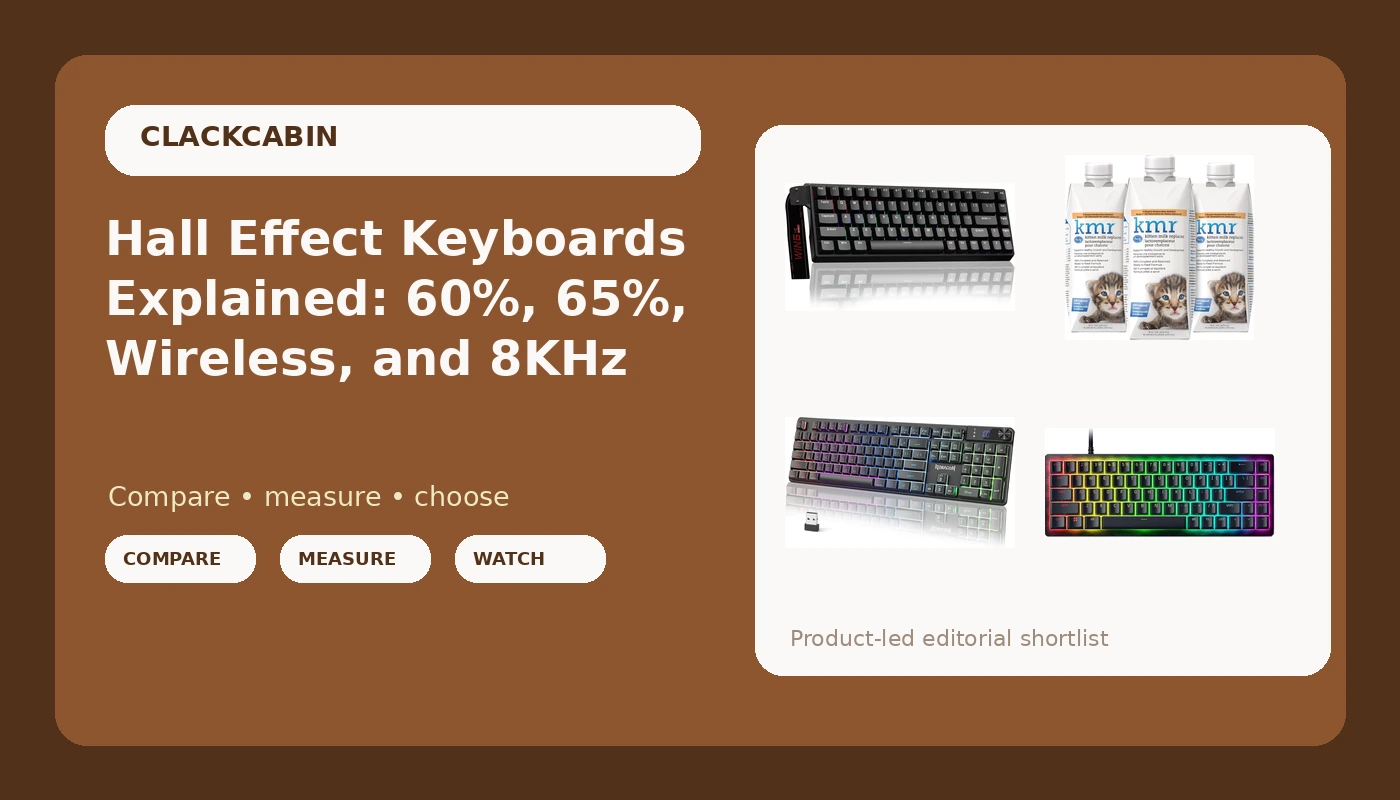
A Hall Effect gaming keyboard does not change how a key sounds. It changes where the key registers and how quickly it resets, because the switch has no metal contact to close. A magnet moves, a sensor reads its position, and firmware decides the actuation point. That is the whole trick, and it is why a spec sheet can advertise adjustable actuation and a fast trigger mode right next to a polling rate measured in thousands of hertz. The hard part of shopping for one is not understanding the technology. The hard part is working out whether a 60% board, a 65% board, or a wireless board fits the desk you actually have, and whether magnetic switches are worth paying for when a standard mechanical board already does the job.
Related: Hall Effect vs Mechanical Switches: What Actually Changes →
Quick answer
Hall Effect boards register presses with magnetic sensors instead of metal contact points, and that is what makes adjustable actuation and rapid trigger possible. If you mostly type, the practical gain is smaller than the marketing implies, and layout and connection type will matter more to you than the switch technology. If you play games where a fast reset helps, or you want to control how far a key travels before it fires, a magnetic board is the only way to get that adjustment. Among the options below, the AULA WIN68 HE and the Razer Huntsman V3 HE Mini both use magnetic switches in compact layouts, the Redragon K521 Pro is the wireless pick, and the fourth entry is not a keyboard at all.
Four useful options
| Model | Best fit | What stands out |
|---|---|---|
| AULA WIN68 HE Mechanical Gaming Keyboard 60% | A wired 60% desk where layers are already part of your workflow | Hall Effect magnetic switches with adjustable actuation and fast trigger mode, 8000Hz polling |
| Redragon K521 Pro Wireless Gaming Keyboard with Screen | A desk where the cable is the problem | Wireless connection and an on-board screen |
| Razer Huntsman V3 HE Magnetic Mini 65% | A compact desk that still needs arrow keys | 65% layout with magnetic switches and 8KHz wired polling |
| PetAg KMR Kitten Milk Replacer Liquid | Hand-rearing orphaned or rejected kittens | Ready-to-feed liquid formula, 16 oz bottles, three per pack |
The 60% Hall Effect entry point: AULA WIN68 HE Mechanical Gaming Keyboard 60%
The 60% decision is almost never about the switches. It is about whether you can live without the keys that got deleted. If you remap early and keep arrows on a layer you can reach without looking, a 60% board gives you more room for the mouse and a shorter reach to everything else. If you spend your day in spreadsheets, or you navigate code by arrow key, a 60% board will fight you for the first week and possibly forever. On the switch side, adjustable actuation is genuinely useful in games and mostly a novelty for prose. Note also that 8000Hz polling only pays off if the rest of the chain keeps up: a hub, a KVM switch, or a laptop port that cannot sustain the report rate will quietly cap it. And because this is a wired board, there is no battery to think about, which is either a feature or a limitation depending on where you sit.
The wireless option with a screen: Redragon K521 Pro Wireless Gaming Keyboard with Screen
Wireless is the one feature where the spec sheet lies most often, because "wireless" covers two very different things: a 2.4GHz dongle, which behaves close to a cable, and Bluetooth, which is convenient for switching between a laptop and a tablet and less predictable under load. The product name here does not specify which, so that is the first thing to confirm before you buy. The second thing is battery life and what happens when it runs out, since a wireless board without a usable wired fallback turns into a paperweight at the worst possible moment. The screen is the unusual part. On a keyboard, an on-board display usually exists to show status or settings without alt-tabbing into software, and that is genuinely useful if you change profiles often. It is also one more component that can only be judged by using it.
The 65% Hall Effect build: Razer Huntsman V3 HE Magnetic Mini 65% 8KHz Wired Gaming Keyboard
The gap between 60% and 65% looks small on paper and feels enormous on a desk. Arrows and a few navigation keys are the difference between a board that works for editing text, moving through cells, and stepping through a debugger, and one that requires a layer for all three. If you are choosing between the two Hall Effect boards here and you are not certain you want to retrain your hands, the 65% layout is the lower-risk pick. The trade-offs are the usual ones for a compact board: fewer keys means more reliance on layers for the function row, and 8KHz polling carries the same caveat as any high report rate, in that the machine and the port have to be able to keep up. Nothing about magnetic switches makes a 65% board smaller or lighter than a mechanical one, because the switches themselves occupy the same space.
Prices and availability may change. Product images, names, and retailer links must be matched by verified ASIN. Do not state a current price, rating, stock status, or measured result without current evidence.
The non-keyboard extra: PetAg KMR Kitten Milk Replacer Liquid
Kitten milk replacer is not a treat and it is not a substitute for a mother cat when the mother is present and nursing. It exists for the cases where she is not: orphans, rejected kittens, or a litter that needs supplemental feeding. The reason a liquid formula is easier than a powder is simple arithmetic under stress. At 2 a.m., with a kitten that needs feeding every few hours, "pour and warm" beats "measure, whisk, and hope there are no clumps." The three-pack matters for the same reason, since a single litter can go through a bottle quickly and running out mid-week is not an option. What this product cannot do is tell you how much to feed or how often, because that depends on the kitten's age and weight. Follow the label and your veterinarian's guidance rather than a keyboard blog, and if a kitten is failing to gain weight, that is a vet call, not a shopping decision.
How Hall Effect switches differ from mechanical switches
A standard mechanical switch is a metal contact that closes at a fixed point. On most switches that point sits around 2mm into a roughly 4mm travel, and it is baked into the switch at the factory. If you want the key to fire earlier or later, your only options are to buy a different switch or change the spring, which means opening the board. A Hall Effect switch replaces the contact with a magnet on the stem and a sensor on the circuit board. The sensor reads how far the magnet has moved, so the actuation point becomes a number in firmware instead of a physical property of the switch.
That single change produces the three features you see advertised. Adjustable actuation means you can set the press point anywhere in the range the manufacturer supports, so a key can fire with the lightest touch or wait until it is nearly bottomed out. Rapid trigger means the key resets the instant you start lifting your finger, rather than waiting for the stem to pass a fixed reset point on the way back up. Analog input means the board can report how far a key is pressed, not just whether it is pressed, which some games map to movement speed. The trade-offs are real too. Magnetic switches are not interchangeable with standard mechanical switches, so the enormous aftermarket of MX-compatible options does not apply. Sound and feel come from the housing, the spring, and the board's mounting, not from the contact, so a magnetic board is not automatically quieter or smoother than a mechanical one. What you gain is adjustability, not magic.
What 60%, 65%, and 8KHz actually change
Layout is the decision that follows you around every day. A 60% board removes the number pad, the arrow cluster, and the dedicated function row, and puts them on layers reached through a modifier key. It is compact, it leaves room for a mouse, and it is unforgiving if you have not built the muscle memory. A 65% board keeps the arrows and usually a couple of navigation keys, which covers most editing and spreadsheet work without a layer. A full-size board keeps everything and takes up the most desk space. None of these is better in the abstract; they are different amounts of compromise.
Polling rate is the other number that gets sold hard. A 1,000Hz keyboard reports its state once per millisecond. An 8,000Hz board reports every 0.125 milliseconds, which is eight times more often. Whether you can feel that depends on your monitor refresh rate, the game, and whether the rest of the chain can carry the data. High report rates are also more demanding on the machine and more sensitive to the port they are plugged into, so a board that advertises 8KHz may spend its life running at a lower rate through a hub or a laptop dock. Treat the number as headroom rather than a guarantee.
- Decide whether you need a number pad, arrow keys, and a function row before you look at switches at all.
- Decide whether adjustable actuation solves a problem you actually have, or whether you are buying it because the spec sheet is impressive.
- Decide wired or wireless based on where the machine sits, not on which sounds more modern.
- Check that your port, hub, or dock can sustain the polling rate the board advertises.
- Check what the manufacturer says about firmware and software before buying, including whether configuration requires an account.
What to check before you order
- Confirm the layout against the work you do, not the desk you wish you had. Arrow keys are the most common regret.
- Confirm the connection type in the listing text, since "wireless" alone does not tell you whether it is a 2.4GHz dongle or Bluetooth.
- Confirm keycap compatibility if you plan to swap caps, especially on boards with LEDs mounted above the switch.
- Confirm the return window and the warranty terms, because feel is the one thing no spec sheet can describe.
- Confirm that the configuration software runs on your operating system without an account, if that matters to you.
Which option should you choose?
Choose the AULA WIN68 HE Mechanical Gaming Keyboard 60% when you want magnetic switches and adjustable actuation in the smallest footprint, and you are comfortable putting arrows and the function row on layers. Choose the Redragon K521 Pro Wireless Gaming Keyboard with Screen when the cable is the problem, you move between machines, and you want status information visible on the board. Choose the Razer Huntsman V3 HE Magnetic Mini 65% 8KHz Wired Gaming Keyboard when you want Hall Effect switches but are not willing to give up arrow keys. Choose the PetAg KMR Kitten Milk Replacer Liquid when you are hand-rearing a kitten and need a ready-to-feed formula in quantity, with your veterinarian's guidance on amounts.
One caveat applies to all three keyboards: the product names tell you the layout, the switch type, the connection, and the polling rate, and nothing else. They do not tell you how a board sounds, how the stabilizers behave, how long a battery lasts, or how the software feels after a month. Those are the things that decide whether a keyboard disappears under your hands or starts annoying you, and they are the things you can only judge by typing on it and by reading accounts from people who have. Buy from a seller with a return window you can live with.
The bottom line
Hall Effect switches are a real change, not a marketing label: they move the actuation point from the factory floor into firmware, and that is worth paying for if you want rapid trigger or a press point you can tune. They are not worth paying for if what you actually want is a quieter board, a nicer sound, or a smaller footprint, because none of those come from the switch technology. Decide the layout first, decide the connection second, and only then decide whether you need magnetic switches. On this list, the 60% and 65% boards split on one question, whether you keep your arrow keys, and the wireless board answers a different question entirely, whether you can live with a cable. Pick the one that solves the problem you already have, and check current Amazon price before you commit, since these listings change.