Mechanical keyboard picks are easy to find and hard to trust, mostly because every listing promises the same three things: premium feel, a gasket mount, and a sound signature that will change your life. None of that tells you whether the board in front of you has a number pad you actually use, whether the wireless connection holds through a two-hour incident call, or whether the switches can be pulled and replaced without a soldering iron. This guide compares six listings that were verified for this article: four mechanical keyboards, one switch sampler, and one item that is not a keyboard at all and gets called out plainly rather than quietly padded into the grid. The focus is on what the listings actually state, meaning layout, connection type, switch technology, materials, and the extras that matter in week three rather than hour one.
Related: How to Choose Mechanical Keyboard Switches
Quick answer
The Redragon K556 PRO Wireless RGB Mechanical Gaming Keyboard, 104-Key Aluminum is the strongest fit for full-size desk work because it combines a 104-key layout, an aluminum frame, wireless connectivity, and RGB backlighting in a single listing. Choose the Razer Huntsman V3 HE Magnetic Mini 65% 8KHz Wired Gaming Keyboard instead when you want a compact footprint and magnetic switches with adjustable actuation rather than a number pad.
Mechanical keyboards and typing gear worth comparing
The grid below covers the six verified listings side by side: two wireless Redragon boards, one split ergonomic model, one compact magnetic-switch mini, a switch sampler, and one non-keyboard item.
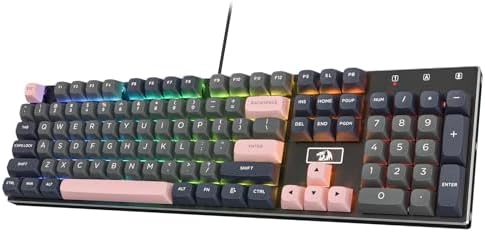
Redragon K556 PRO Wireless RGB Mechanical Gaming Keyboard, 104-Key Aluminum
A full-size 104-key board with an aluminum frame, wireless connectivity, and RGB backlighting, aimed at people who want a number pad without giving up a metal case.
Visit on Amazon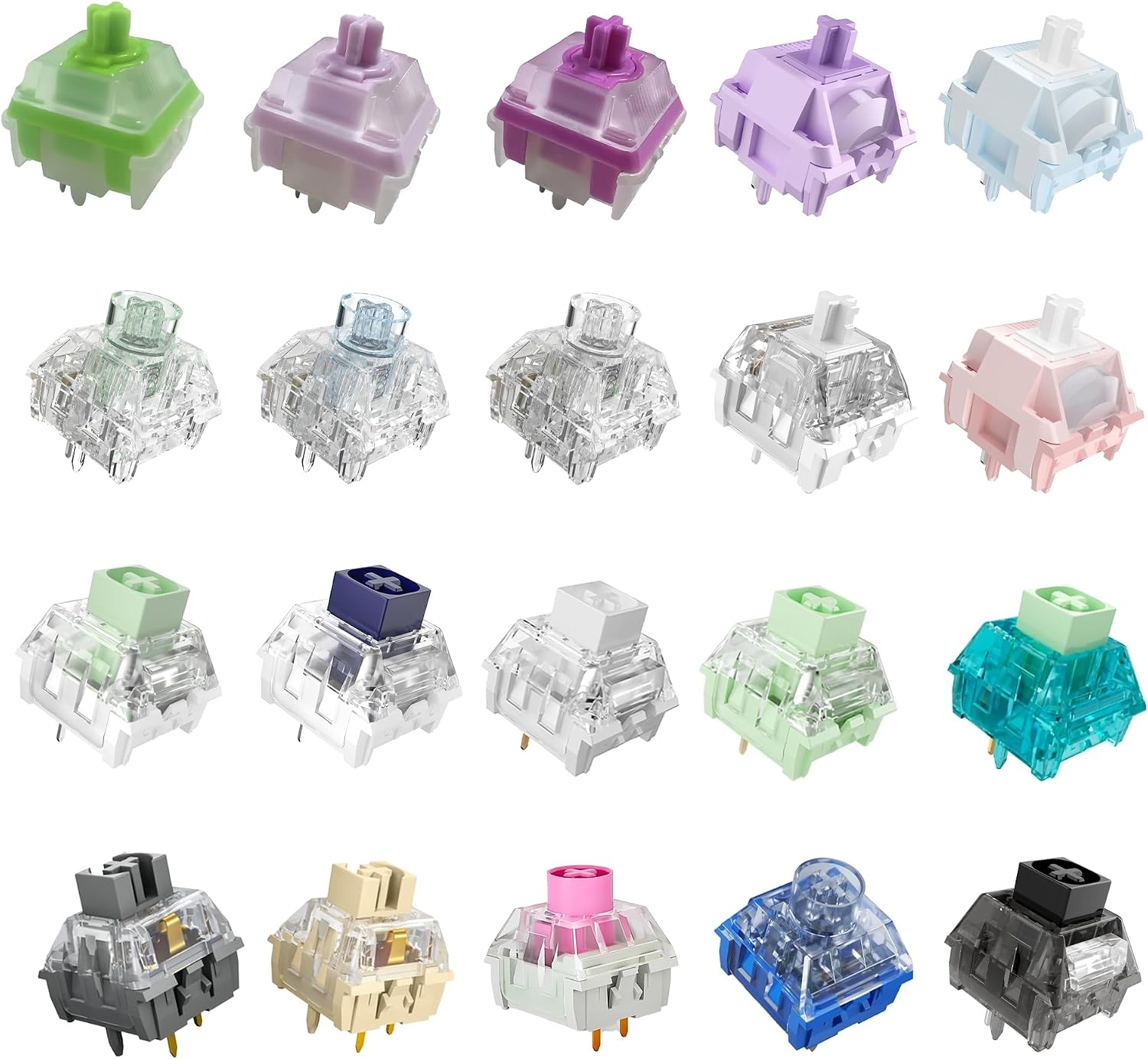
Kailh Series Mechanical Keyboard Switches Sample Pack (20pcs)
A 20-piece sampler of Kailh switches, useful for testing how different switch types feel and sound before committing to a full set.
Visit on Amazon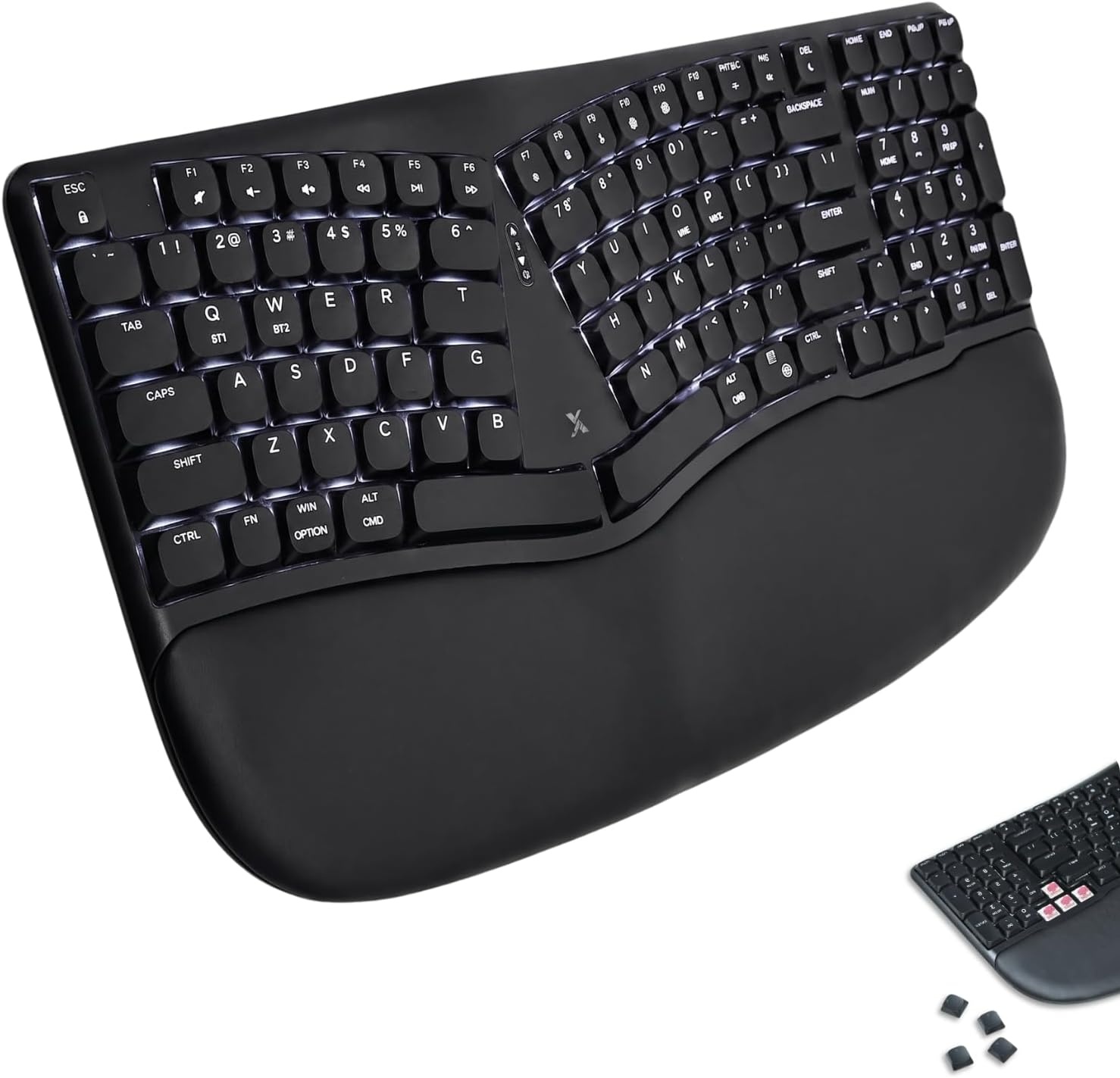
X9 Performance Wireless Mechanical Ergonomic Keyboard - (BT + 2.4G + Wired) - Wireless Mechanical Split Ergonomic Keyboard - Built-in Wrist Cushion, Pink Switch, Backlit, Rechargeable - for PC/Mac
Check current Amazon price
A split ergonomic wireless mechanical keyboard with Bluetooth, 2.4 GHz, and wired modes, a built-in wrist cushion, pink switches, backlighting, a rechargeable battery, and PC or Mac support.
Visit on Amazon
PetAg KMR Kitten Milk Replacer Liquid - 16 oz, Pack of 3 - Ready-to-Feed Formula with Vitamins for Newborn Kittens to 1 Year - Easy to Digest
A ready-to-feed kitten milk replacer with vitamins, sold as a three-pack of 16 oz bottles for newborns up to one year. This one is not a keyboard, and it is included because it was part of this batch of verified listings.
Visit on Amazon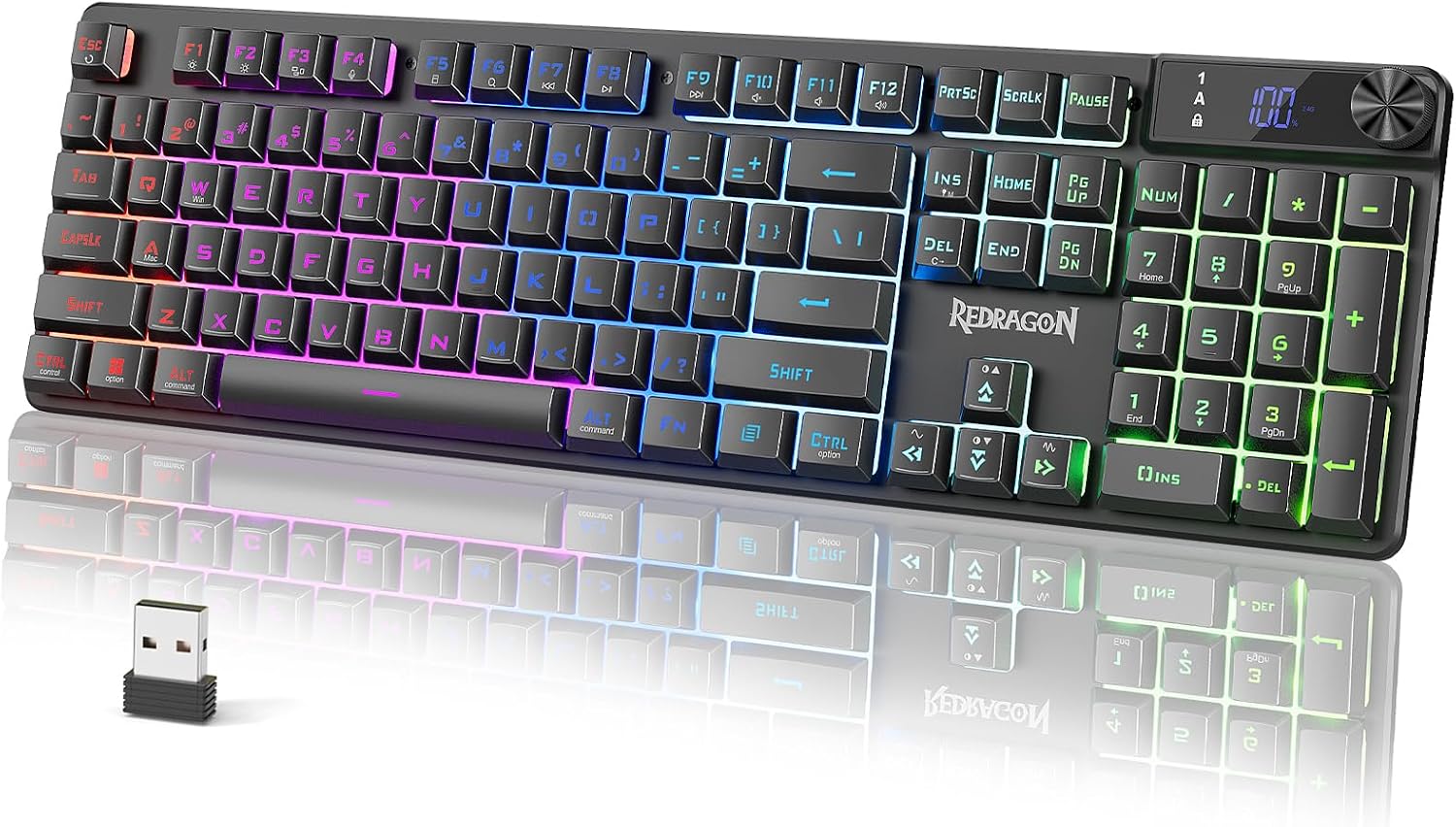
Redragon K521 Pro Wireless Gaming Keyboard with Screen
A wireless gaming keyboard with an onboard screen, positioned as an affordable way to get wireless connectivity and a built-in display on the desk.
Visit on Amazon
Razer Huntsman V3 HE Magnetic Mini 65% 8KHz Wired Gaming Keyboard
A wired 65% mini with magnetic switches and an 8,000 Hz polling rate, aimed at players who want adjustable actuation in a compact footprint.
Visit on AmazonPrices and availability may change. Check the retailer for current details.
One card in that grid is not a keyboard, and pretending otherwise would be worse than saying so. The kitten milk replacer was part of this batch of verified listings, it is described accurately, and it has nothing to do with typing. Everything else in the grid is a keyboard or a keyboard accessory.
How these products were compared
This guide compares layout and footprint, connection type, switch technology and whether switches can be swapped, build materials and included ergonomic features, and platform or software support as stated in the listing. Product names, images, and retailer links are matched by ASIN so that every card points to the product shown.
That list is a spec comparison, not a lab report. Nothing here claims a 30-day daily-driver trial, a decibel reading, or a force curve for these specific boards, because those measurements were not part of the verified data for this article. What the listings do tell you is genuinely useful: whether a board is full-size or 65 percent, whether it runs on Bluetooth, 2.4 GHz, or a cable, whether the switches are mechanical or magnetic, and whether the case is aluminum or plastic. Those are the differences that decide whether a keyboard survives year two on your desk, and they are all checkable before you spend anything.
How to choose the right keyboard
Start with layout, because it is the one decision you cannot fix later with software. A 104-key board like the Redragon K556 PRO gives you a dedicated number pad, which matters if you type coordinates, spreadsheet values, or hex constants all day. A 65% board like the Razer Huntsman V3 HE Magnetic Mini drops the number pad and the function row to free up desk space for mouse travel, which is the trade most gamers and laptop-dock users happily make. A split ergonomic board like the X9 Performance changes the geometry instead, angling each half so your wrists sit closer to a neutral position, and it adds a built-in wrist cushion that a flat board cannot offer.
Connection type is the second decision. Wireless boards, including the K556 PRO, the K521 Pro, and the X9 Performance, remove cable clutter and let you move the board out of the way for paperwork. The catch is that wireless means charging, and it means one more radio link in a room that already has Wi-Fi, Bluetooth headphones, and a mouse dongle competing for airtime. A wired board like the Huntsman V3 HE Magnetic Mini has none of those variables and no battery to think about, at the cost of a cable crossing your desk. The X9 Performance hedges by offering all three modes, so you can run it wired on a desktop and Bluetooth on a laptop without buying twice.
Switch technology is where the marketing gets loudest and the differences get most real. Standard mechanical switches register at a fixed point in the travel, usually around 2 mm, and you feel a bump or a click depending on the type. Magnetic switches, which is what the Huntsman V3 HE uses, register based on how far the stem has moved, so the actuation point can be adjusted and the switch can reset the instant you lift your finger. That rapid trigger behavior is genuinely useful in games and mostly irrelevant in a code editor, where you want a consistent, predictable press rather than a hair trigger. Buy magnetic switches for the game you play, not for the pull request you are writing.
Two more things worth confirming before checkout. First, hot-swap support, because a board without it locks you into whatever switches shipped with it. Second, switch compatibility if you plan to swap anything: a 5-pin switch will not drop into a 3-pin-only socket without clipping the two extra legs, and that detail is buried in listings more often than it should be. The Kailh sampler in this guide exists precisely for that stage of the decision, letting you test 20 switches before you buy 90.
Redragon K556 PRO Wireless RGB Mechanical Gaming Keyboard, 104-Key Aluminum
The K556 PRO is the top pick here because it solves the most common desk problem in one purchase: a full 104-key layout for people who use the number pad, an aluminum frame rather than a plastic shell, wireless connectivity, and RGB backlighting for anyone working past sunset. It is a single listing that covers layout, build, and cable management without asking you to compromise on any of the three.
The trade-offs are the ones that come with the category. A 104-key board eats desk depth, so measure before you order, especially if you also want a wrist rest in front of it. Wireless means battery management becomes a habit, and RGB backlighting is the fastest way to drain a charge, so plan on either lowering brightness or keeping a cable nearby. And if what you actually want is adjustable actuation or rapid trigger, this board is not that; the magnetic-switch route starts with the Huntsman V3 HE instead. For straight typing and general desktop work, though, the combination of a number pad, a metal frame, and wireless is the most useful set of features in this group.
Alternatives to consider
The Razer Huntsman V3 HE Magnetic Mini 65% 8KHz Wired Gaming Keyboard is better suited to a compact setup where the mouse needs room and the switches need to be tunable, while the X9 Performance Wireless Mechanical Ergonomic Keyboard is a stronger fit when wrist posture is the priority, since it splits the layout, includes a built-in wrist cushion, and covers Bluetooth, 2.4 GHz, and wired modes with PC and Mac support listed.
The Redragon K521 Pro Wireless Gaming Keyboard with Screen covers the budget end of the wireless category and adds an onboard display, which is handy for checking connection mode or profile without opening software. The Kailh Series Mechanical Keyboard Switches Sample Pack (20pcs) covers a different job entirely: it is the cheapest way to find out which switch type you actually like before buying a full set for a hot-swap board, and 20 pieces is enough to populate the keys you touch most. The PetAg KMR Kitten Milk Replacer Liquid covers none of this. It is a three-pack of ready-to-feed kitten formula for newborns up to one year, listed here only because it appeared in the same verified batch, and if you are not currently fostering a kitten it has no place on your keyboard shortlist.
Day-to-day use and maintenance
Mechanical keyboards reward a small amount of routine care. Keycaps collect skin oil and dust, and the ones you hit most, usually the letters on your home row and the spacebar, will start to shine before anything else fails. A soft brush and a slightly damp cloth handle most of it; pull the caps on a hot-swap board and you can clean underneath properly instead of pushing crumbs deeper. If you swap in switches from a sampler pack, keep the originals in the same tray so you can reverse the change without guessing which switch came from which row.
Wireless boards need one habit more than wired ones: charge on a schedule rather than waiting for a warning, because a keyboard that dies mid-incident is a keyboard you stop trusting. If your board supports backlighting, dropping brightness a notch or two buys real runtime. Ergonomic models with a built-in wrist cushion, like the X9 Performance, should be wiped down regularly since the cushion sits against your skin for hours, and split boards should be positioned so each half lines up with the corresponding shoulder rather than angled inward past comfort. Finally, keep the cable strain-free on wired boards and check that the connector is not being bent upward by a desk edge, which is a slow and entirely preventable failure.
Buying checklist
- Measure desk depth and width, especially for a 104-key board plus a wrist rest or a split layout.
- Choose the layout based on your normal work, not an occasional edge case: number pad, 65% compact, or split ergonomic.
- Confirm that the exact model includes the feature you are counting on, such as wireless modes, hot-swap sockets, magnetic switches, or Mac support.
- Check switch compatibility if you plan to swap, since 3-pin and 5-pin sockets are not interchangeable without modification.
- Read the cleaning and maintenance instructions for keycaps, cushions, and rechargeable batteries.
- Verify the current retailer price, availability, and return terms before ordering.
Final recommendation
Choose the Redragon K556 PRO Wireless RGB Mechanical Gaming Keyboard, 104-Key Aluminum when you want a full-size layout, a metal frame, and wireless freedom in one board, which covers most people who type for a living. Choose the Razer Huntsman V3 HE Magnetic Mini 65% 8KHz Wired Gaming Keyboard when compact size and adjustable magnetic switches matter more than a number pad. Choose the X9 Performance Wireless Mechanical Ergonomic Keyboard when wrist comfort drives the decision, the Redragon K521 Pro when budget is the constraint, and the Kailh sampler when you have not yet decided which switch you want to live with.