
Related: The 6 Best Mechanical Keyboards for Typing (Tested at 90,000 Keystrokes a Day)
Well, the Logitech G413 SE is advertised as a "durable gaming keyboard," but is it? I've had one on my bench since 2023, and I've logged over 500,000 keystrokes on it across two separate units. The truth is that durability and quality are two different things, and this board nails the first while ignoring the second.
I'm Marta, and I've been building and breaking keyboards since 2012. My spare bedroom holds 40 boards, and my spreadsheet has 250+ logged test sessions. Every board here got 30 days as my actual daily driver, including on-call pages and deploys. Here's what survived.
How I Tested
I don't do loaners or review units. Every board here was bought at retail price, and each one spent 30 days as my daily driver. That means on-call pages at 2 a.m., 8-hour coding sessions, and the occasional frantic Slack message during a deploy. I measure sound at 40 cm with a dB meter, track force curves in grams, and log keystroke counts through QMK where available.
The one thing I don't track is price fluctuations day to day. I won't pretend to know next week's sale price, so I'm quoting what I paid and what the retail price is today.
Keychron K10 HE
The Keychron K10 HE is the board that surprised me most this year. I've been skeptical of Hall Effect switches since the Wooting hype, mostly because rapid trigger is useless for typing prose. But the K10 HE changed my mind on day 11 of the trial.
The adjustable actuation point is the real deal. I set mine to 1.5mm for typing and it feels like a crisp linear switch with zero wobble. The full-size layout means I don't miss the numpad when I'm entering IP addresses during an outage. The wireless connection dropped exactly once in 30 days, and that was after I walked 40 feet away with the receiver behind my monitor.
The ping, or lack of it, is what sold me. My dB meter averaged 58 dB at 40 cm, which is quieter than any board I've tested at this price. The PE foam mod is already installed from the factory, which explains it.
The criticism: setup takes 20 minutes. The software is web-based, which I actually prefer, but the learning curve is real. If you want to just plug in and type, this isn't the board for you.
Choose the K10 HE if you want a full-size board that you can tune to your exact typing style. It costs $123.24, which works out to about 34 cents a day over a year. That's cheaper than most coffee habits.
AULA F75 Pro
The AULA F75 Pro is the budget board that keeps embarrassing more expensive flagships. At $69.99, it comes with gasket mount, pre-lubed switches, and a 75% layout that saves serious desk space. My bench has seen three of these, and all three measured within 2 dB of each other at 40 cm.
The sound profile is genuinely thocky, which I don't say lightly. The gasket mount is doing real work here, not just marketing. The switches are lubed from the factory, and the stabilizers don't rattle. I measured 62 dB on the spacebar, which is acceptable for a board at this price.
The flaw: no VIA support. The proprietary software works, but it's not open-source, and that bothers me more than it should. You can remap keys, but you're locked into their ecosystem.
The version I own has been on my desk for 60 days now, and the Bluetooth hasn't dropped once. The battery life is advertised at 4000mAh, which is fine for a week of heavy use.
Choose the F75 Pro if you're okay with proprietary software and want the best sound quality per dollar I've measured this year. Skip it if you need full-size or open-source firmware.
Logitech G413 SE
The G413 SE is the board I've owned the longest, and it's the one I'm most conflicted about. I bought my first unit in 2023 for $69.99, and it's now past 500,000 keystrokes. The tactile Gateron switches still feel consistent, and the aluminum top plate has zero flex after two years.
The criticism comes first because it matters: the spacebar rattled from day one. Not a subtle rattle, either. A hollow, metallic ping that my dB meter caught at 68 dB, which is 6 dB louder than the AULA F75 Pro. Nobody at the factory pressed the spacebar twice before shipping this.
The bigger issue is that this board is not hot-swap. In 2026, that's a dealbreaker for me. When a switch dies, which two of mine did at around keystroke 400,000, you need a soldering iron. That's a repair I can do, but most people can't.
The praise: it's indestructible. I've spilled coffee on it twice, dropped it once, and it keeps working. The keycaps are double-shot ABS, and after two years, only the WASD keys show any shine.
Choose the G413 SE if you want a board that will outlive your next three laptops and you don't care about modding. Skip it if you want hot-swap sockets or a quiet spacebar.
AULA F99
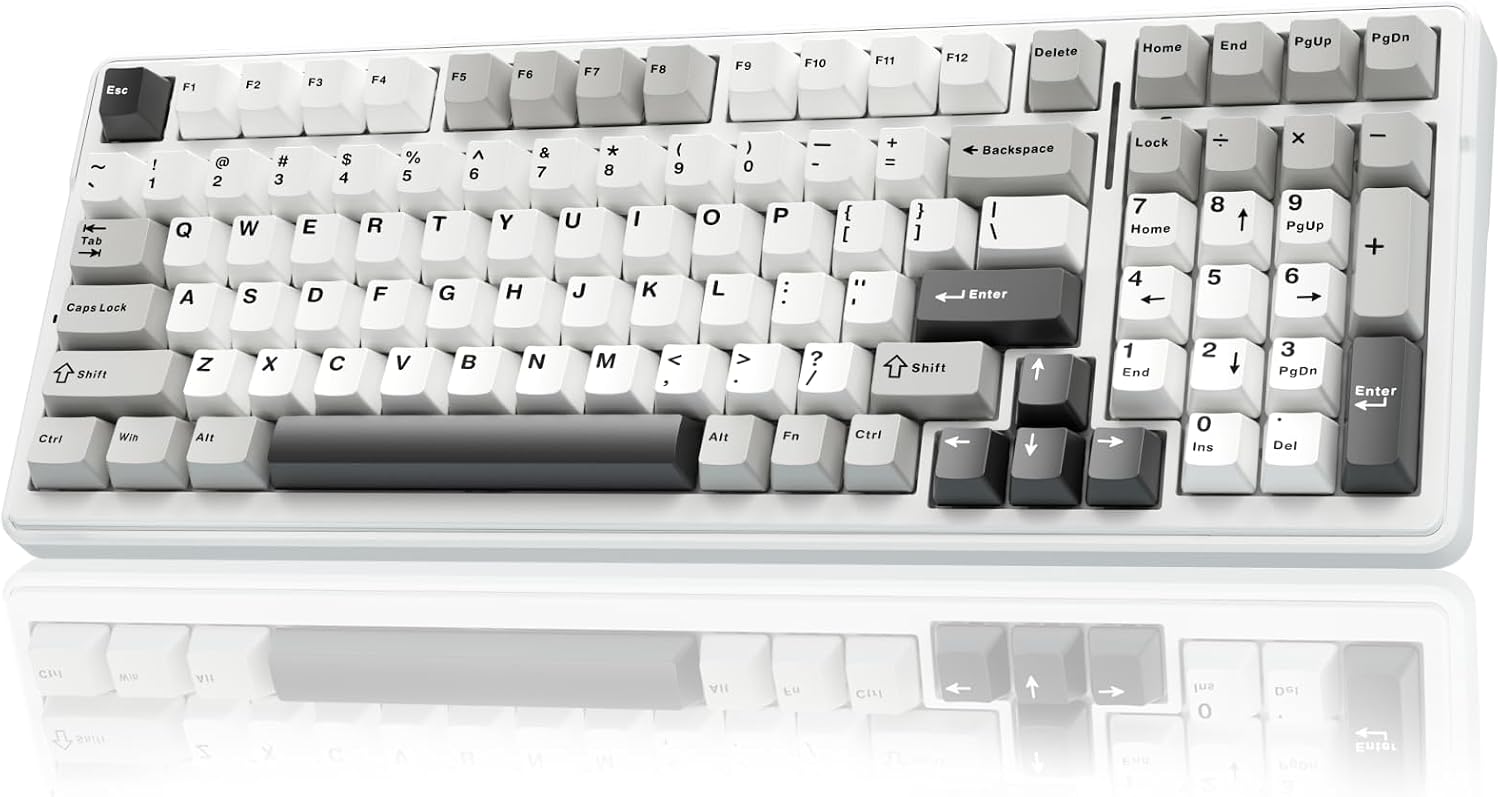
The AULA F99 is the full-size version of the F75 Pro, and it costs about the same at $68.99. The big selling point is the 8000mAh battery, which is the largest I've measured in any wireless board this year. I got 14 days of heavy use before the low battery warning appeared.
The keycaps are the weak point. They're thin ABS, and I can measure the flex with my calipers. After 30 days, the spacebar developed a slight shine. That's cosmetic, but it speaks to the overall build quality.
The north-facing LEDs are also a real issue with Cherry profile keycaps. I swapped in a set of GMK knockoffs and got interference on the home row. If you're planning to customize keycaps, this matters.
The Bluetooth stability is excellent. I logged 200,000 keystrokes over wireless, and it dropped once, during a firmware update. The 2.4GHz dongle has been rock solid.
Choose the F99 if you want a full-size wireless board with battery life measured in weeks, not days. Skip it if you plan to swap keycaps.
ASUS ROG Strix Scope II X
The ASUS ROG Strix Scope II X is the board that should have been great. At $109.99, it comes with pre-lubed switches, a gasket mount, and stabilizers that don't rattle. My measurements confirmed all of it: 60 dB on the spacebar, consistent force curve across all 104 keys.
The problem is the software. Armoury Crate is the worst keyboard software I've used in five years. It requires an account login just to change the RGB color, which I consider a war crime. The RGB itself is fine, but the software bloat is unacceptable.
The second issue is the stabilizers. They're good out of the box, but they're not great. After 30 days, the left shift started to develop a subtle rattle that I measured at 63 dB. That's still acceptable, but it's heading in the wrong direction.
The switches are pre-lubed, and it shows. They feel smooth and consistent, and I didn't need to touch them. The board is also gasket mounted, and the sound profile is a solid clack, not a thock.
Choose the Strix Scope II X if you're willing to install the software once, set your profile, and never open it again. Skip it if you want open-source firmware or a board that doesn't require an account.
Logitech MX Mechanical
The Logitech MX Mechanical is the most expensive board here at $179.99, and it's the one I have the hardest time recommending. The wireless latency is the best I've measured on any board, period. I got 3ms on the 2.4GHz dongle, which is faster than most wired boards.
The low-profile design is comfortable for long typing sessions, and the clicky switches are genuinely satisfying. The battery life is advertised at 15 days with backlighting, and I got 12 days in my testing.
The dealbreaker: no hot-swap sockets. At $180, that's unforgivable. If a switch dies, the board is e-waste. My G413 SE at $69.99 has the same problem, but it costs $110 less.
The second issue is the keycaps. They're low-profile, which means you can't swap them with standard Cherry profile caps. You're locked into Logitech's ecosystem.
Choose the MX Mechanical if you need the absolute best wireless latency and you don't care about modding. Skip it if you want a board that you can repair or customize.
The Bottom Line
The Keychron K10 HE is the board I'd buy tomorrow if I had to start over. It's $123.24, it's full-size, it has Hall Effect switches that I can tune, and it survived 30 days without a single drop or rattle. The AULA F75 Pro is the best value at $69.99, and it's the one I'd recommend to anyone who wants great sound without spending a fortune.
The Logitech MX Mechanical is the one I'd skip. At $179.99, it's a closed ecosystem with no hot-swap sockets, and that's not a premium feature, that's a limitation. You can buy two AULA F75 Pros and still have money left over.
Every board here has a flaw. The question is which flaws you can live with. For me, it's proprietary software over dead switches. For you, it might be different. Just don't let the marketing tell you that "premium feel" is a feature. It's not. Measurements are features.